Leads every session
Maestro
Lead every session.
Reads your request, sends each part to the right specialist one at a time, checks what comes back, and reports the result to you.
- Leads every session
- Routes work
- Checks results
Specialist coordination
Maestro leads every session. It brings in one specialist at a time for each part of your request, checks what comes back, and reports to you. Playtests happen when you choose them, and you stay in control of the result.
Meet the Crew
Five agents today, with more to come. Maestro brings in only the specialists a request needs; Plan is a mode you switch on, not another agent.
Leads every session
Lead every session.
Reads your request, sends each part to the right specialist one at a time, checks what comes back, and reports the result to you.
Specialist
Build the game.
Builds the game itself: mechanics, controls, scenes and the order they come together in. Builder also exports the finished game as a desktop build.
Specialist
Make it look, sound and feel great.
Game feel and atmosphere: impact, motion, effects, sound effects, music and character voice lines (synthetic voices), lighting, weather and mood, once a mechanic works.
Specialist
Remember the state and show it.
Owns game state and the screens that show it: versioned save and load, settings, inventory, progression, menus and HUD, including measuring and clicking through game UI.
Specialist
Play it when you ask.
Runs the game on request, reproduces what it observes, finds the root cause and makes the minimal fix. It plays only when you choose to send it, or when Auto Playtest is on.
One task, the right specialist tools
One illustrative workflow: Maestro brings in Builder, then you decide whether the change gets playtested.
Illustrative request
“Add a dash ability to the existing player controller.”
Request
Defines the desired dash behavior.
Maestro
Leads the session and routes the dash work.
Brief to Builder
Add the dash to the player controller, check it in the running game, and list what is worth trying in play.
Builder
Worth a playtest?
Try it yourself with a short checklist, send the Playtester, or skip it. With Auto Playtest on, the Playtester goes straight away.
Final destination
Inspect the changes and relevant evidence.
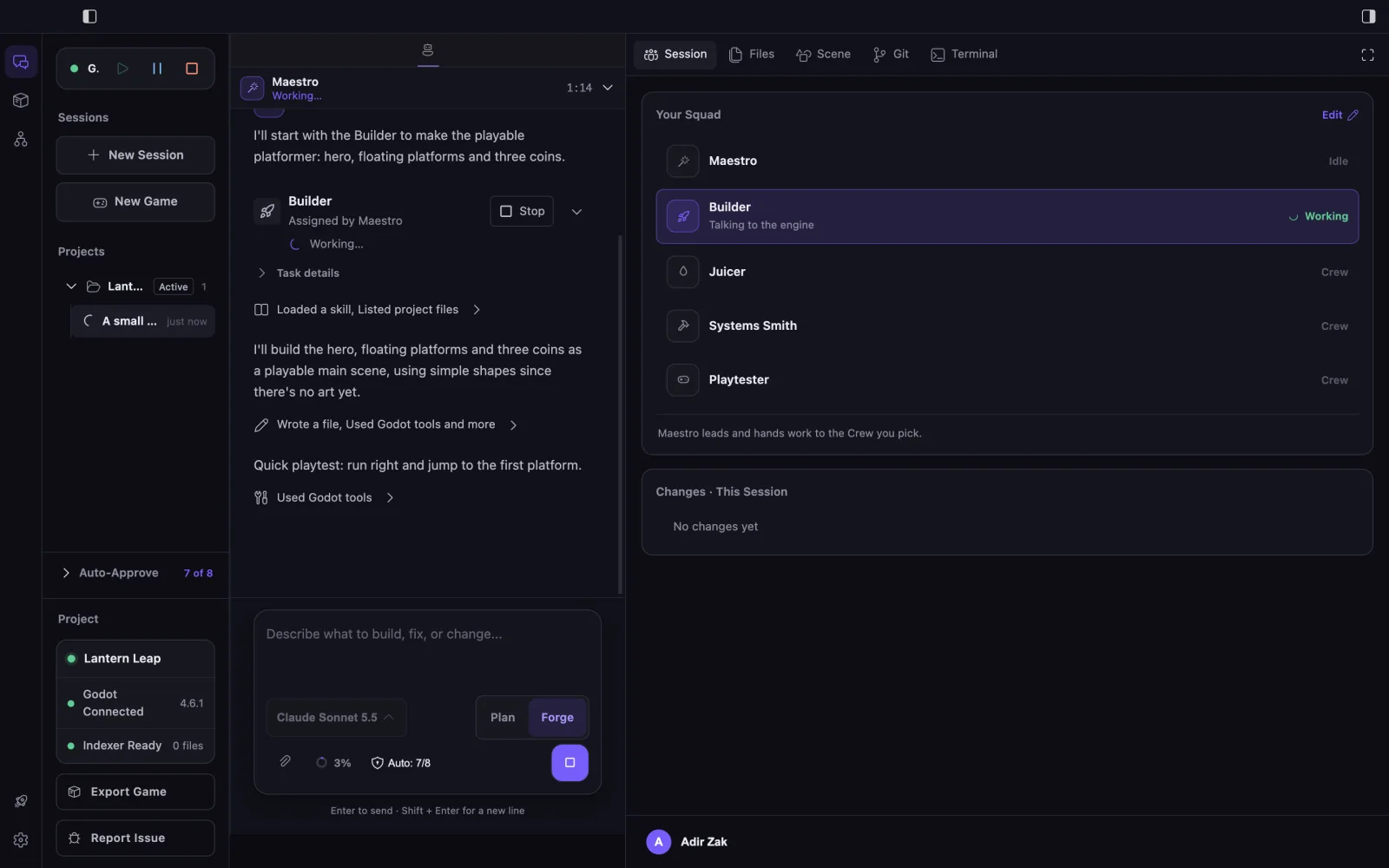
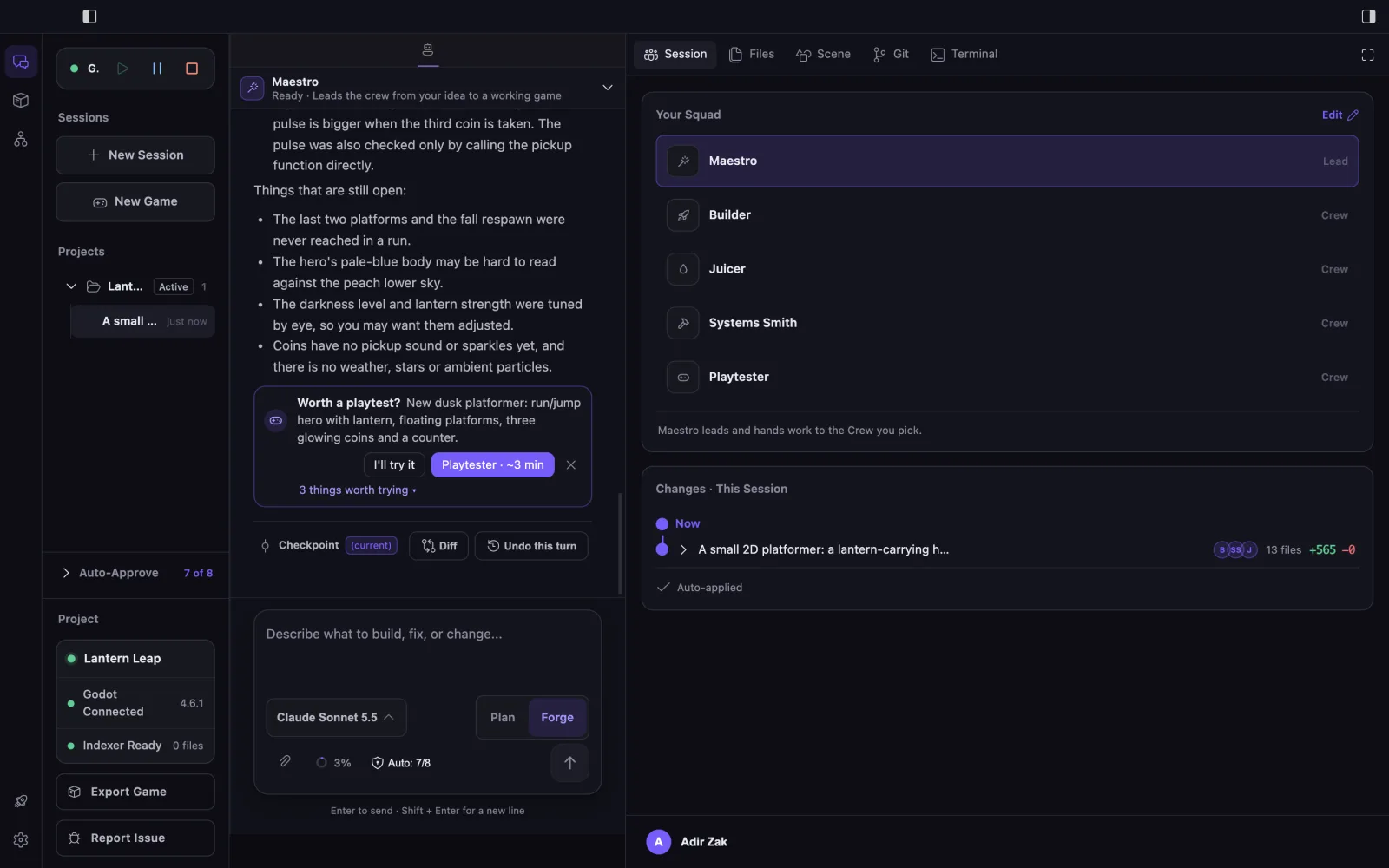
This example is illustrative. Maestro does not call every specialist, it brings them in one at a time, and some requests it answers itself. A playtest happens only when you choose one on the card or turn on Auto Playtest, which is off by default.
Maestro coordination
Maestro brings in one specialist at a time, checks the specialist’s own verification, and sanity-checks the result before reporting to you.
Read Maestro coordination details →Coordination
Maestro leads
Maestro knows the whole Crew and brings in a specialist only when the task needs one, so each piece of work and its evidence stay easy to inspect.
Verification
Specialist-owned
The specialist reports its verification and what is worth trying in play. Maestro runs sanity checks, relays every caveat, and offers a playtest when a change affects how the game plays.
Plan before you act
Plan is a mode, not an agent. Inspect the project, reason about the request, and break down the work without changing files.
Let each specialist use the tools of its role, within your Auto-Approve settings.
Review the work
The work does not disappear into an invisible autonomous process. The developer can inspect what changed, what each specialist returned, and what evidence supports the result.
See what each specialist returned to Maestro.
Keep applicable action boundaries and decisions visible.
Inspect the project changes produced during the work.
Review captured code states before deciding what stays.
Review the evidence each specialist used to check its work.
Inspect checks, blockers, and the caveats Maestro relays.
See whether you tried it, sent the Playtester, or skipped the playtest.
Shared abilities
Choose the next step
Explore the Crew in detail or download EngineForge to see the workflow in the platform.
Maestro coordination →