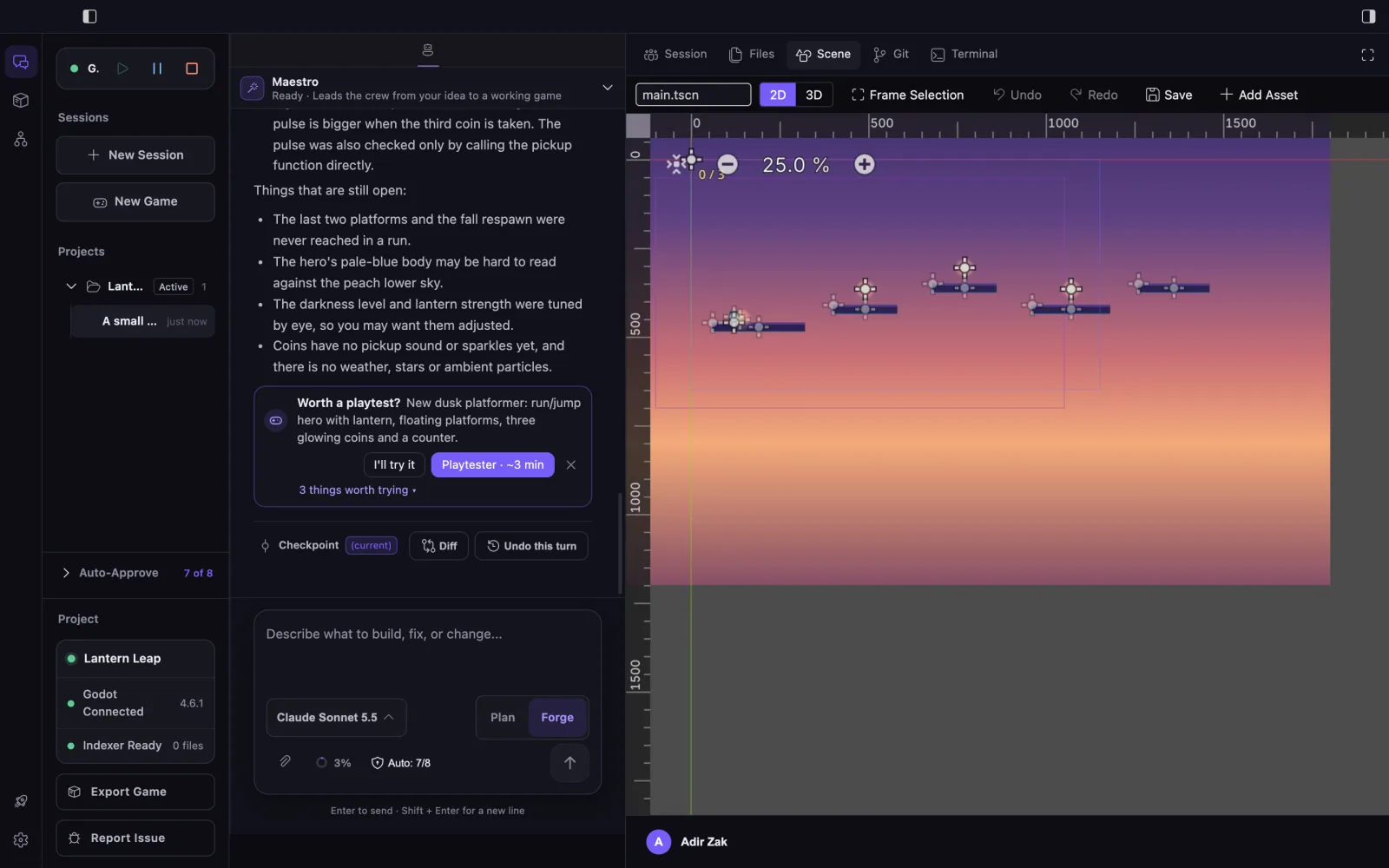
Scenes & Nodes
Inspect, create, and modify supported scene-tree structures relevant to the task.
Godot workflow
Work with an existing Godot project across scripts, scenes, Godot editor state, and the running game—inside EngineForge.
Project context
EngineForge indexes the project locally. Through the Godot integration, supported workflows can use scene-tree and editor context relevant to the task: scenes, nodes, signals, resources, and their relationships.
EngineForge context model
Relationships relevant to the current task
Godot capabilities
Use the Godot integration to understand relevant context, work with supported Godot structures, and run or observe the game when useful.
Inspect, create, and modify supported scene-tree structures relevant to the task.
Work with supported properties, signals, groups, references, and resources.
Use supported TileMap and TileMapLayer workflows for layers, cells, and related scene work.
Use supported editor operations, run relevant workflows, and collect bounded runtime evidence when useful.
These are capability families, not a complete command catalog. See the Godot integration docs for current capability coverage and limitations.
From scene context to running behavior
Move from project understanding into supported Godot actions, then use the running game only when the task benefits from runtime verification.
Existing project
Start with the Godot project already on disk.
Godot context
Add relevant nodes, signals, resources, and editor state where supported.
Godot action
Make supported changes to the scene and engine structures relevant to the task.
When relevant
Exercise the workflow through the Godot integration.
When observable
Observe the named condition instead of assuming the code is enough.
Developer decision
Inspect the change, diff, and relevant runtime evidence.
Not every task needs every stage. This is one possible path using only the context, actions, and verification relevant to the work—not a fixed autonomous pipeline.
A real Godot example
In an evidence-backed Godot platformer scenario, the collection logic existed in the scripts, but the scene was missing the signal connection needed to update the counter.
Read the first-hand workflow →Observed problem
Coin collected
Counter unchanged
Scene finding
Logic present
Signal connection missing
Change
Restore the scene connection
Valid observation
Coin disappears and counter updates
The developer reviews the scene change and the bounded runtime result. This verifies the named coin-counter workflow, not the whole game.
Crew inside the workflow
The selected specialist can work on the current Godot task. Plan remains read-only; Forge enables appropriate actions within approval boundaries; and bounded delegation is available when another specialty is useful.
Explore EngineForge Crew →Inspectable work
Work performed through EngineForge and the Godot integration remains available for developer review. Changes, bounded evidence, and the developer decision stay connected.
Change
Inspect the project changes produced during the task.
Evidence
Review relevant logs or supported runtime observations.
Review
Keep approvals and captured code checkpoints visible.
Godot support and boundaries
shipping
Godot support ships with the upcoming EngineForge release alongside Unity.
Capability scope
EngineForge works with the project through the Godot integration. Supported context, engine actions, and runtime observation remain bounded by the current integration capabilities.
Exact coverage
The Godot integration docs own current setup, capability coverage, and limitations. EngineForge is a complete AI platform for game development with an integrated Godot workflow.
Continue with Godot
Explore the integration, read the first-hand workflow, or download EngineForge.
Read the first-hand workflow →