Projects and Sessions
Projects identify the game context. Sessions separate the conversations, Crew activity, and review history for individual objectives within that project.
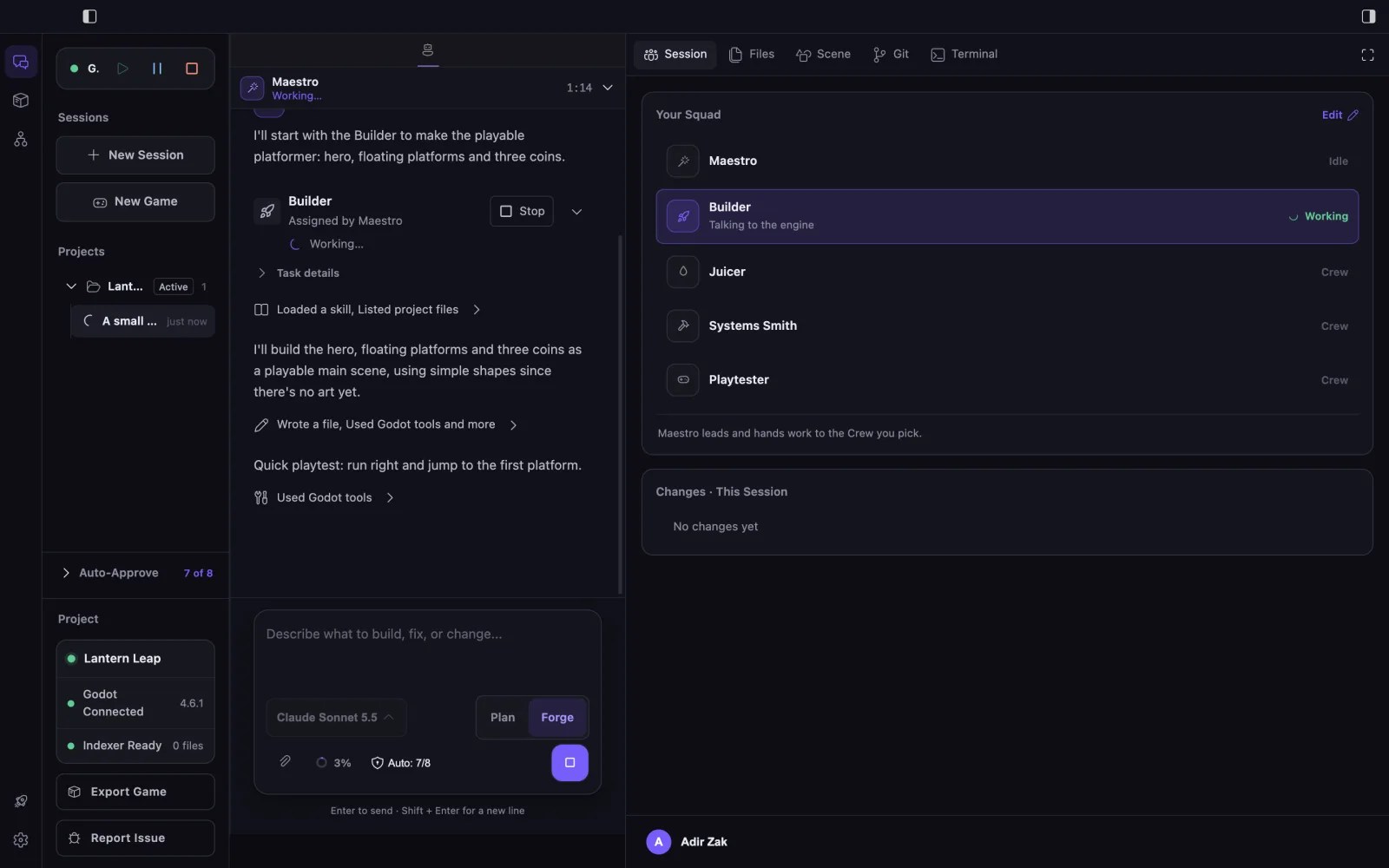
Choose the project
Select the project whose workspace, Game Folder, local index, and engine integration should supply context. Confirm the Game Folder when a repository contains nested or multiple projects.
Start a focused session
- Create a session for one objective.
- Confirm the Crew available to Maestro and the Plan or Forge mode.
- Keep related investigation, implementation, approvals, and evidence in that session.
- Review Changes This Session before starting another objective.
Return to earlier work
Recent sessions let you reopen a stored conversation and its visible task metadata. A resumed session remains associated with the project in which it began, so EngineForge can warn when the current window has different project context.
What stays visible
The active project and session remain visible in Cockpit navigation. The conversation, completed specialist results, Maestro coordination, and session changes preserve the review context that has been stored for that task. Live in-progress delegation state is not reconstructed after a restart.
Limitations
A session is a work record, not a replacement for source control. This page does not promise a fixed retention period, cross-device history, or recovery for activity that was still in progress when the app closed.